

Table of Contents
- Why Collecting Registration Fees Can Be a Headache
- The Problem With “One Size Fits All”
- When Admissions Can’t See Who Paid
- A Smarter Way to Handle Registration Fees
- Examples of Customizable Fee Forms
- Flat Pricing
- Tiered Pricing by Grade or Student Type
- Offer Optional Add-Ons
- Selling Classes à la Carte
- Higher Education Classes
- Enrollment + Payments, Together in One Dashboard
- Why Schools Love This Setup
- Want to Customize Your Registration Forms?

Why Collecting School Registration Fees Can Be a Headache
Let’s face it—registration season can get messy. For many private schools, collecting registration fees isn’t as smooth as it should be. The process is often clunky, confusing, and hard to tailor to your school’s unique setup. The result? Delayed payments, frustrated parents, and extra work for your team.
The Problem With “One Size Fits All”
Not every student pays the same registration fee—and that’s the problem. Maybe you charge one rate for new students and another for returning ones. Maybe fees vary by grade level. Maybe you offer extras like school supplies or uniforms. Trying to manage all these variables manually is a recipe for errors, delays, and endless emails.
When Admissions Can’t See Who Has Paid
Another common snag: admissions staff often don’t know who’s paid and who hasn’t. That information lives with the finance office, which leads to back-and-forth emails and slows down the whole enrollment process. It also makes it harder to follow up with families in a timely and confidential manner.
A Smarter Way to Handle Registration Fees
Gradelink makes things easier with a customizable payment setup built right into the enrollment process. Schools can configure registration fees based on their exact needs, so parents get a seamless experience—and your team gets clean, accurate data.After parents finish the enrollment form, they’re automatically directed to a payment screen. This page is fully customizable. Let’s look at a few popular setups.
Here are Examples of Forms You Can Create
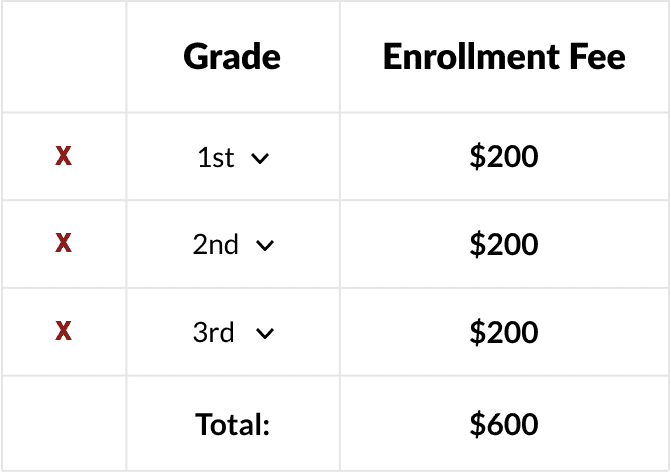
Flat Pricing
If everyone pays the same amount, just set a flat fee. Done and done.
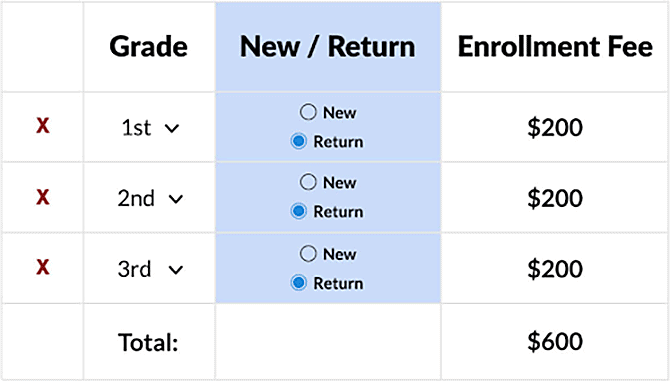
Tiered Pricing by Grade or Student Type
Want to charge differently based on whether the student is new or returning, or by grade level? No problem—you can set those rules in a few clicks.
Offer Optional Add-Ons
Need to collect for things like uniforms, supply kits, or technology fees? Add them as optional checkboxes. Parents can include them during checkout—boosting convenience for them and revenue for your school.

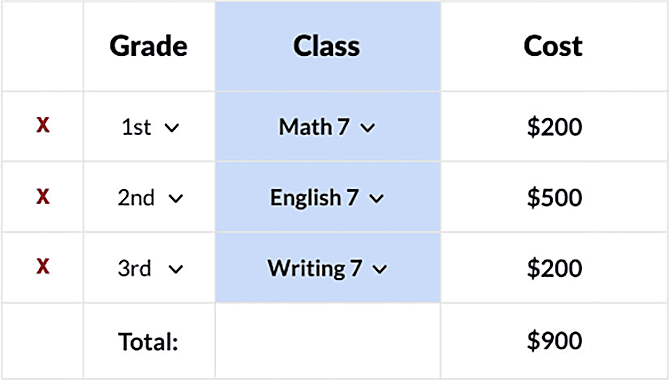
Selling Classes à la Carte
Perfect for online or homeschool programs: Let parents pick and pay for individual classes. They select a grade (e.g., seventh grade), see a list of available classes, and choose what they want.
Higher Education Classes
If you serve adult learners, you can let students browse available programs, then select and pay for the classes that fit their goals.
Enrollment + Payments, Together in One Dashboard
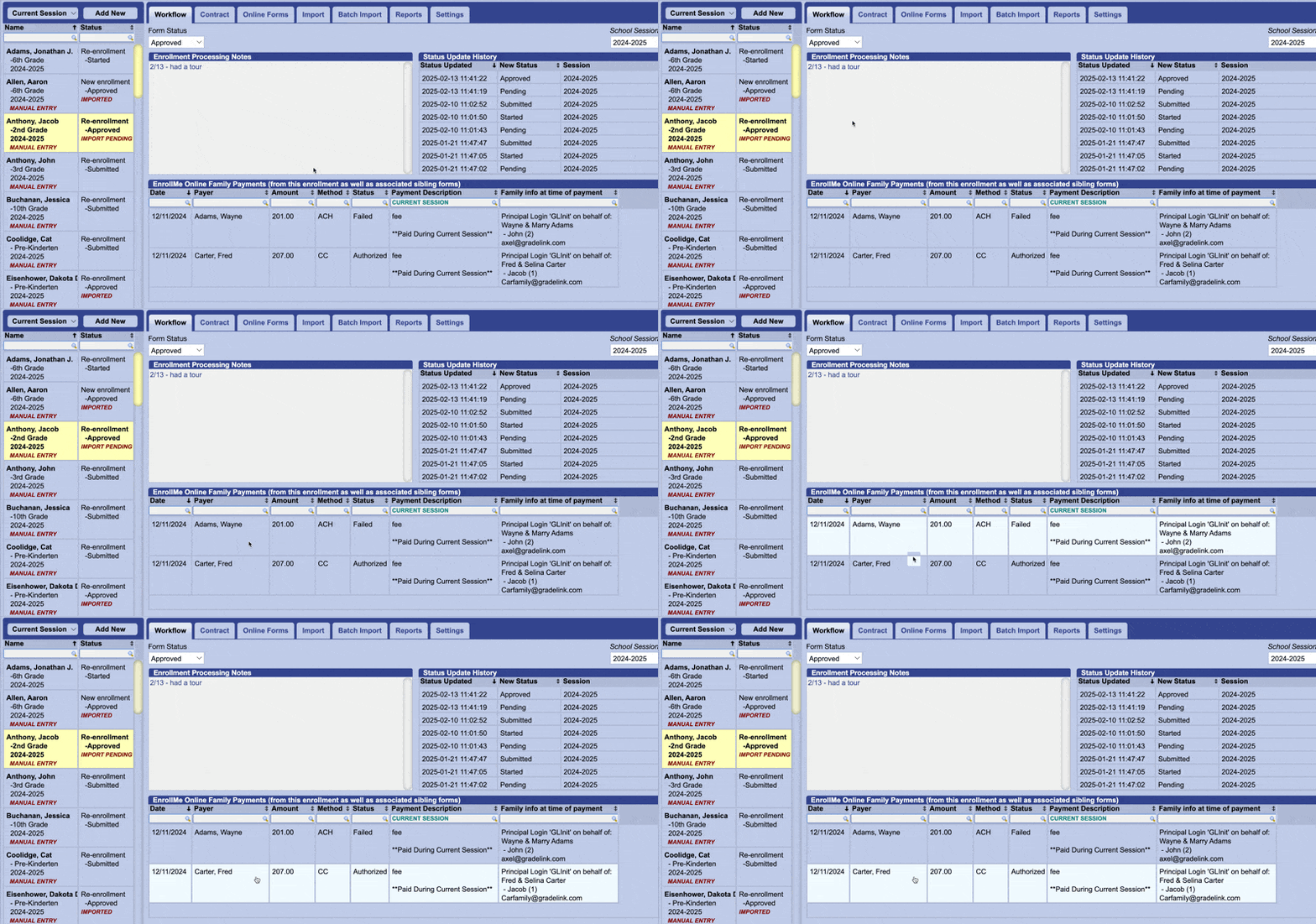
At the bottom of this example enrollment form, you can see the registration payment came through.
Why Schools Love This Setup
When you customize registration fees with Gradelink, you get:
- A faster, cleaner enrollment process
- Fewer errors and less admin work
- A better experience for families
- Improved financial tracking
- A more polished, professional image
It’s a win for everyone—parents, admissions, and your bottom line.
Want to Customize Your Registration Forms?
New to Gradelink? Schedule a walkthrough to see how it all works. You’ll also find a quick demo video, key features, and pricing on our EnrollMe page.
Already a Customer? Reach out to your rep, and we’ll make sure your forms are doing everything they can.
Click here for more information on Gradelink’s financial tools.
Key Takeaway
Gradelink takes the hassle out of registration fees by letting schools set up payments right inside the enrollment form. Schools can handle tiered pricing, add-ons, and a la carte classes, all in one place. No more mistakes from manual entry. Parents and admissions teams both get a smoother, easier experience.