
Celebrate Student Achievement with Award Certificates
Beautiful, personalized student award certificates, generated from your GPA & Scores Report.
Recognizing your students’ hard work is now simpler than ever. Integrated directly into the GPA & Scores Report, Gradelink’s new Award Certificates tool enables school staff to design, personalize, and print official awards based on your report results.
Whether you’re handing out honor roll certificates at an assembly or printing academic merit awards at the end of the term, you can do it all without leaving Gradelink.

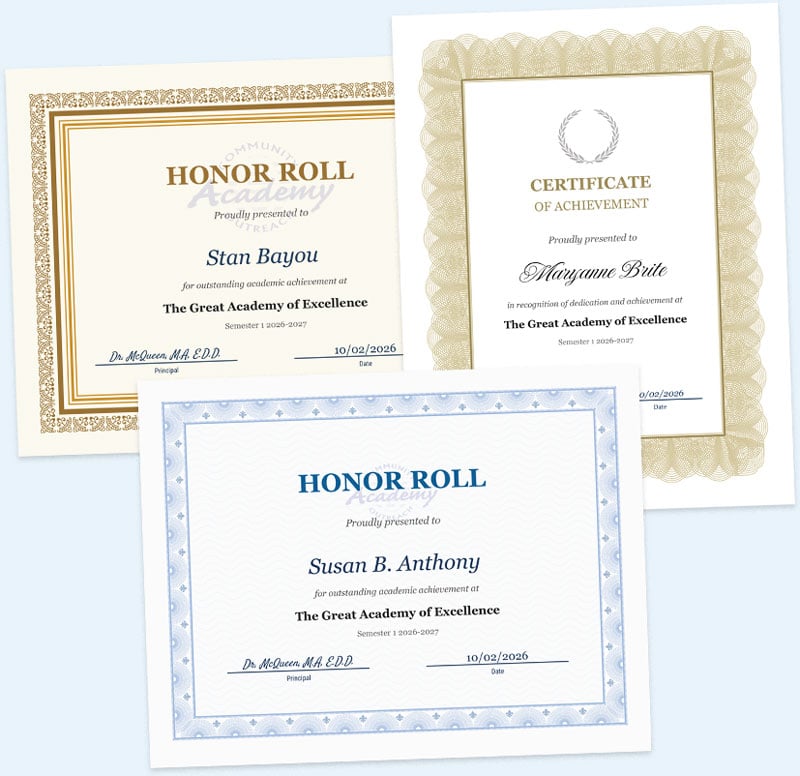
Dynamic Templates
Get started quickly with built-in templates, including Academic Merit, Achievement, Honor Roll, and more. Need something different? Start from a blank template and build a custom design from scratch.
Intuitive Drag-and-Drop Editor
Customize your layout exactly how you envision it. Move text freely, choose from decorative borders, and upload your school’s logo or watermark.
- Design with precision: A built-in dot grid and automatic alignment guides help you center items perfectly.
- Official touches: Format text into a circle to create official, professional-looking school seals.
Smart Data Fields
No need to type out individual names. Add placeholders for dynamic information, such as Student Name, Term, School Principal, or GPA. Because the tool is tied to your GPA & Scores report criteria, these fields automatically populate for every qualifying student on your list.
Flexible Printing & Exporting
Format your student award certificates to match your school’s printing needs.
- Paper Options: Choose your preferred page size (US Letter or A4) and orientation (Landscape or Portrait).
- Export Options: Print the entire batch of certificates directly from your web browser, or download them as a single PDF to ensure perfectly consistent formatting.
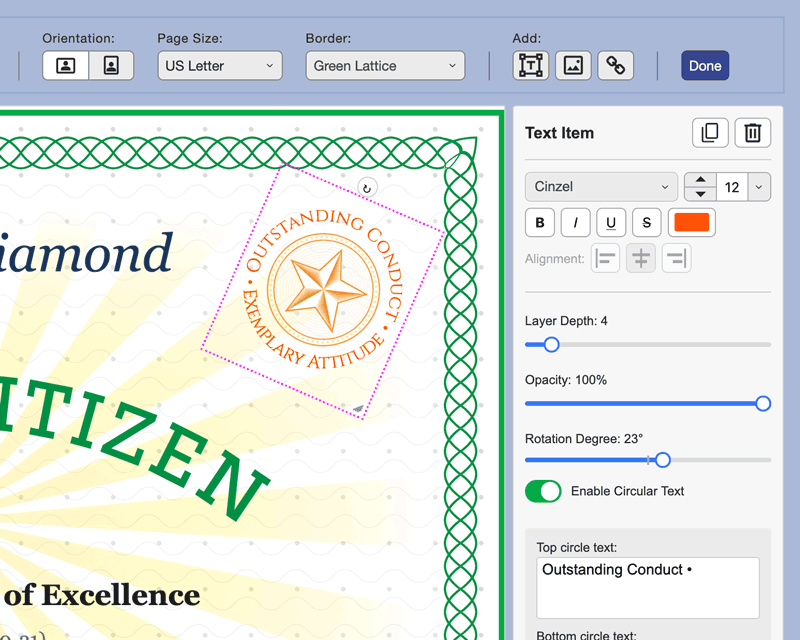
The certificate editor makes it easy to customize your awards by changing fonts and colors, adding elements, and more. Click here for detailed instructions.