
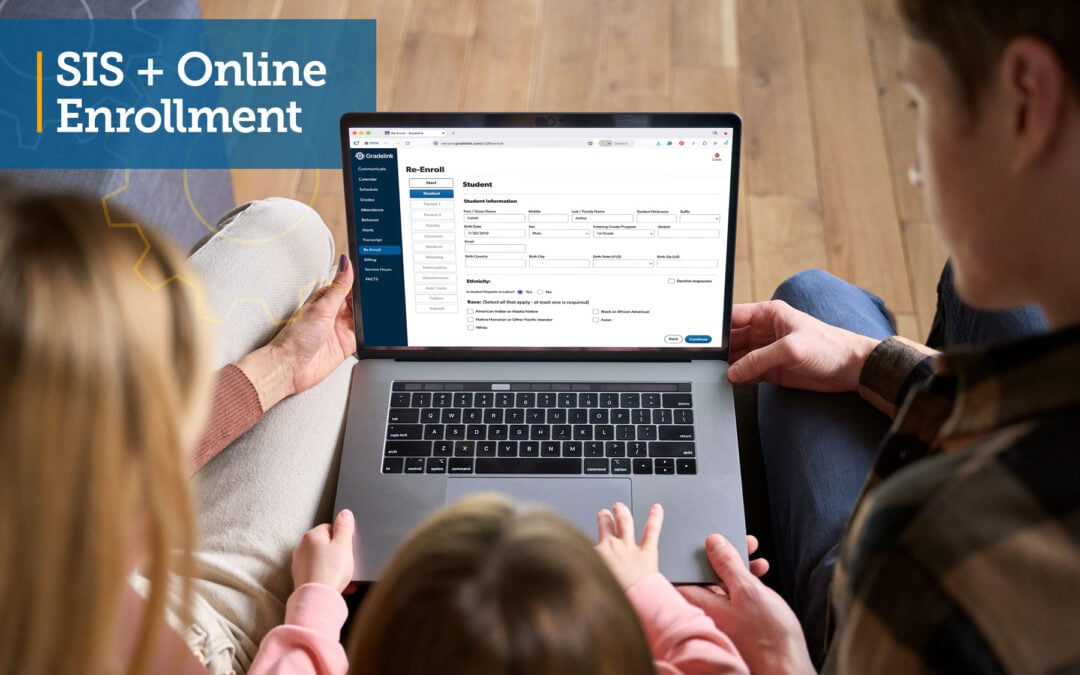
Online enrollment should do more than replace a paper application with a digital form.
A student information system (SIS) can handle online enrollment and registration by giving families a way to submit student and family information, complete required forms and agreements, upload documents, and make registration payments when needed. School staff can then review applications, track their status, approve students, and move accepted student information into the main SIS.
For returning students, the process can be even simpler. Instead of requiring families to fill out the same forms every year, an SIS can support re-enrollment by storing their information. As a result, parents can simply review or update the info already connected to the student’s record.
The result is an enrollment process that saves countless hours for parents and school staff, connecting what families submit with the student information the school needs after enrollment.
Here is how that process typically works and what schools should look for when evaluating SIS enrollment software.
1. Give New Families a Way to Start Enrollment Online
The first step is giving prospective families a clear place to begin.
Instead of requiring parents to pick up a packet from the school office, an online enrollment system can provide a registration link or enrollment portal that families can access remotely.
From there, a new family can create an account and begin an application.
This matters because the enrollment portal becomes the starting point for the rest of the process. The family should be able to enter information, save required details, complete forms, and submit the application to the school.
But schools should look beyond whether a provider offers an “Apply Online” button.
Ask:
- Does the enrollment process connect directly with the SIS?
- Can families save and complete applications online?
- Can the school customize what information it collects?
- What happens to the information after the family clicks Submit?
That last question is especially important.
A digital form that sends an email to the school may be online, but staff could still end up entering all of that information into the SIS manually.
2. Collect Student and Family Information in One Enrollment Process
Enrollment requires schools to collect information about more than the student.
Depending on the school, the application may need student details, parent or guardian information, emergency contacts, academic background, medical information, family information, and other records.
An online enrollment system can organize these into sections so families complete the required information as part of one process.
That gives schools structured information instead of relying on a mix of paper forms, emails, spreadsheets, and handwritten notes.
It can also reduce duplicate data entry later if the information collected during enrollment can be transferred into the student’s SIS record after approval.
For example, Gradelink’s EnrollMe Basic setup includes forms for student and parent information, academic background, family and living situation, emergency contacts, medical information, optional worship information, and document uploads.
The key benefit is not simply collecting more information online. It is collecting the information in a format that can continue through the enrollment process.
3. Collect Documents, Agreements, and Permissions Along With the Application
Enrollment often involves information that does not fit into basic student and parent fields.
Schools may need supporting documents, signed agreements, policy acknowledgments, permissions, or other information before enrollment is complete.
A useful online enrollment system should allow those requirements to become part of the same workflow rather than forcing families to complete the application online and then manage everything else separately.
Depending on the system and configuration, that can include:
- Document uploads
- School policy agreements
- Enrollment agreements
- Permission forms
- Tuition and fee information
- Questionnaires
- Other school-specific forms
Schools should be able to decide which forms are required for their enrollment process rather than being forced into the exact same application used by every other school.
This is also an area where schools should check pricing carefully. Some SIS providers may include basic enrollment forms while charging separately for custom forms or more advanced enrollment workflows.
4. Accept Registration Payments When Required
Some schools collect an application, enrollment, or registration fee during the enrollment process.
When payment processing is connected to online enrollment, families can complete the required payment without the school having to manage a completely separate process.
This can create a more direct workflow:
Complete application → submit required information → make applicable payment → school reviews application
However, schools should verify exactly what the SIS supports.
Ask whether online payments are available, which payment methods are accepted, whether there are processing fees, how payments are recorded, and whether payment information is visible to the staff responsible for reviewing enrollment.
Payment capability should also be distinguished from tuition billing. A system that accepts an enrollment payment does not necessarily handle every part of tuition management in the same way. See our guide to customizing school registration fees
5. Track Applications After Families Start Them
One of the biggest differences between an online form and a real enrollment management system is what happens after an application is started.
School staff needs to know where applicants are in the process.
- Has the family started an application but not finished it?
- Has the application been submitted?
- Does the school need more information?
- Is the application waiting for a decision?
- Has the student been approved?
- Has the approved information already been added to the SIS?
A useful enrollment workflow should make those answers visible without requiring staff to maintain a separate tracking spreadsheet.
Gradelink’s EnrollMe Workflow area, for example, shows applications that have been started or received. Administrators can sort applications by enrollment session and search by name or status. The workflow also identifies whether an application is a new enrollment or re-enrollment and whether its information has already been imported into the main Students area.
This is an important distinction:
Online enrollment should help a school manage applications, not just collect them.
6. Review Applications Before Creating Active Student Records
Submitting an application does not always mean a student has been accepted.
This is why an SIS enrollment workflow needs a review step between application submission and active student records.
Administrators should be able to review the information submitted by the family and determine what needs to happen next.
For example, an application might:
- Need additional information
- Be waiting for a decision
- Be approved
- Not be approved
- Be cancelled
This separation prevents every prospective applicant from automatically becoming an active enrolled student simply because an online form was submitted.
In EnrollMe, administrators can review the information supplied by parents or guardians and assign application statuses including In-Process, Pending, Approved, Not Approved, and Canceled. An approved application is then ready for its student data to be imported into Gradelink.
That is the kind of workflow schools should look for when comparing online enrollment systems.
7. Move Approved Student Information Into the SIS
This is one of the most important parts of SIS-based online enrollment.
Consider two different processes.
Process A: A parent completes an online form → school staff receives the information → staff manually types the information into the SIS.
Process B: A parent completes an online application → school reviews it → student is approved → approved information is imported into the SIS.
Both begin online, but Process B creates a much stronger connection between enrollment and student information management.
It can reduce the need to enter the same student and family information twice.
With Gradelink EnrollMe, once an application is approved, information from the application can be imported into Gradelink for the upcoming school year. Enrollment is one part of a connected system, as our guide to administrative software for schools explains.
See it in action: Watch a demo of EnrollMe and the Gradelink SIS.
8. Handle Re-Enrollment Without Treating Returning Students Like New Applicants
Online enrollment and re-enrollment solve different problems.
A new student does not yet have an existing student record at the school. The school needs to collect the information required to consider and create that student’s record.
A returning student is different.
The school already has information about the student and family. The re-enrollment process should make it possible to continue into the next enrollment cycle without treating the family as though the school has never seen them before.
A well-connected SIS can use the student’s existing relationship with the school as the starting point for re-enrollment.
Gradelink separates these workflows. New families can use the school’s enrollment link and create a registration account. Returning families can log in to their existing Parent Portal and use the Re-Enroll area after the school enables it.
That distinction also matters when an existing family wants to enroll a new sibling. The returning student can follow the re-enrollment process, while a sibling who does not yet have a student record follows the new-student enrollment process.
9. Keep Each Enrollment Cycle Separate and Organized
Enrollment is not a one-time project.
Schools repeat the process for each academic year.
That means the system needs a way to distinguish the current enrollment cycle from previous ones.
Administrators may need to:
- Open enrollment for a new academic year
- Update forms or requirements
- Enable re-enrollment
- Review email messages
- Track current applications
- Look back at applications from previous enrollment periods
- Identify returning students who have not re-enrolled
Without clear enrollment cycles, current and previous applications can quickly become difficult to manage.
This is why enrollment sessions or academic-year controls are worth checking when evaluating an SIS.
Online Enrollment vs. Re-Enrollment: What’s the Difference?
Although the terms are sometimes used together, they are not exactly the same process.
| Online Enrollment | Re-enrollment | |
|---|---|---|
| Who it’s for | Prospective students applying to the school | Students already connected to the school |
| Family account | New registration account | Existing parent or family account |
| Information collected | Full student and family details, plus documents | Review and update of information already on file |
| Review step | Application reviewed and approved before the student record is created | Information confirmed or updated on the existing record |
| Student record | May not exist yet; created at import after approval | Already exists in the SIS |
| Purpose | Decide whether to accept the student | Carry the student into the next enrollment cycle |
Schools should examine how an SIS handles workflows for both new and returning families, rather than evaluate online applications alone.
What Should Schools Look for in SIS Enrollment Software?
Don’t stop at asking whether families can apply online. Follow the process from the moment a family starts an application until the student’s information becomes part of the SIS. For a broader view, see what features to look for in a student information system.
| What to Check | What to Ask the Vendor |
|---|---|
| Online application access | Can families start, save, and finish an application from a link on our website, including on a phone? |
| Student and family information | Can we customize what we collect, and is it stored in structured fields? |
| Documents and agreements | Can families upload documents and complete agreements in the same workflow? How are agreements signed? |
| Custom forms | Which forms are included, and which cost extra? |
| Online payments | Which payment methods and fees apply, and how do payments appear to staff? |
| Application status tracking | Can staff see who has started, submitted, or been approved without a separate spreadsheet? |
| Administrative review | Do applicants stay separate from active students until we approve them? |
| Import into the SIS | What happens to the data after approval? Does staff re-enter it? |
| Re-enrollment | Do returning families have their own process, tied to their existing account? |
| Enrollment-year management | Can we keep current and past enrollment cycles separate? |
| Notifications | Can we edit the automatic messages families receive at each status? |
| Reports | Which reports show who has not re-enrolled, or who is still a prospect? |
| Data security | Who can see applications, and how is sensitive information, such as medical details, protected? |
The strongest enrollment systems connect these steps instead of making staff piece the process together using unrelated tools.
How Gradelink Handles Online Enrollment and Re-Enrollment
Gradelink schools can add EnrollMe, Gradelink’s online enrollment system, to connect enrollment and re-enrollment with the SIS.
EnrollMe is a premium add-on to Gradelink’s SIS, rather than a feature automatically included with every standard SIS account. Gradelink’s standard SIS service is required to use EnrollMe.
New Student Enrollment
Schools can provide prospective families with a unique enrollment link, including placing that link on the school website.
A new family creates a registration account and completes the school’s enrollment process online.
Depending on the school’s EnrollMe setup, the application can collect student and parent information, academic background, family and living information, emergency contacts, medical information, documents, and other required information.
Forms and Enrollment Agreements
EnrollMe can go beyond basic contact fields.
Its available setup options support custom forms such as:
- Policy agreements
- Questionnaires
- Tuition and fee information
- Permission forms
- Enrollment agreements
- Additional school-specific information
- Daycare forms
Custom options depend on the EnrollMe package selected. Gradelink’s current setup structure separates Basic, Pro, and Premium packages, with Pro and Premium providing additional custom-form capabilities.
Schools can also include agreements covering areas such as school handbooks, behavior contracts, photo-release permission, tuition, additional fees, and payment plans when using the applicable setup.
Online Registration Payments
EnrollMe can support online registration payments as part of the enrollment process. Payment options depend on the school’s EnrollMe setup, so schools should confirm the applicable package and payment configuration when setting up their enrollment process.
Application Tracking and Review
Once an application is started, it appears in EnrollMe’s Workflow area.
Administrators can see applications families are still working on as well as submitted applications. Applications can be organized by enrollment session and searched by name or status. The workflow also distinguishes new enrollments from re-enrollments.
After submission, administrators can review the information supplied by the parent or guardian.
Application statuses can then be used to show whether an application is still In-Process, Pending, Approved, Not Approved, or Canceled.
Approved Applications Connect to the Main SIS
The connection between EnrollMe and Gradelink becomes especially important after approval.
Approved student information can be imported from the EnrollMe application into the main student information area in Gradelink.
This creates a simple overall workflow:
Family submits application → school reviews application → school approves applicant → approved information is imported into Gradelink
That connection helps reduce the need for school staff to take information already entered by families and manually create the same student information again.
Re-Enrollment for Returning Families
Returning families do not need to use the same new-student enrollment process.
When the school enables re-enrollment, existing families can access a Re-Enroll area through their Gradelink Parent Portal.
EnrollMe also distinguishes re-enrollment applications from new enrollments in its administrative workflow, helping staff manage both groups during the same enrollment cycle.
Enrollment Sessions and Communication
Schools can set up a new enrollment session for a new academic year and manage new enrollments and re-enrollments within that cycle.
EnrollMe also provides email settings for the enrollment workflow. Schools can edit automatic messages connected to enrollment statuses, helping communicate with families as applications move through the process.
Its current support resources also include enrollment reporting tools such as the Not Re-Enrolled Report, Prospects Report, Contracts, and Workflow Details Report.
A Manual Option When Families Cannot Apply Online
Moving enrollment online should not mean a school has no alternative when a family cannot use the online process.
EnrollMe allows administrators to manually create either a new-student or re-enrollment application when a family does not have access to a computer or the internet.
This gives schools a way to keep the application within the enrollment workflow while assisting families who need another way to complete registration.
Online Enrollment Should Connect With What Happens After Enrollment
The real value of online enrollment is not simply removing paper.
It is creating a clearer path between prospective family information and the student record the school will use after enrollment.
A connected process can allow families to submit information online, give administrators a place to review and track applications, keep prospective applicants separate from active students, support re-enrollment for returning families, and move approved information into the SIS.
That is the difference between simply putting an enrollment form online and using an SIS with an integrated online enrollment workflow.
Setting up for a new year? See how to prep EnrollMe for the next school year, or visit our Admissions page for an overview.
A connected process gives families one place to apply, gives administrators one place to review, and keeps approved information moving into the SIS.
Ready to see how it works? Watch a demo or get a quote to see how Gradelink and EnrollMe can manage online enrollment, application review, re-enrollment, and student information in one connected process.